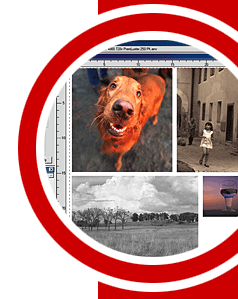
Queue+Layout
Workflow in ColorBurst Pro
The best features of the ColorBurst Queue Series and ColorBurst Layout Series
have been combined to create the ColorBurst Pro interface. Now you can create
layouts from files in the Job list, complete with scaling, rotation, cropping,
and tiling. Individual files and layouts can be reordered in the Job List, placed
on hold, or given a priority print status.
Automatic Color Correction
ColorBurst Pro includes the Kodak Digital Sciences ICC Engine
to support ICC profiles with Separate
Inputs for CMYK/RGB Vector and Image Profiles. ICC Color Correction
is processed as each file is ripped. RGB and CMYK files can be mixed on same
page.
ICC
Profile Creation
ColorBurst Pro will create custom RGB, CMYK, and CMYKLCLM (Light Cyan
Light Magenta) profiles with no extra software to buy.
PANTONE® Color Matching
ColorBurst Pro includes the full licensed PANTONE Color Library. ColorBurst's
AutoSpot™ technology greatly improves the accuracy of PANTONE colors.
All color handling is done automatically during processing - any PANTONE colors
in a file are found when the file is ripped.
Neutral Black and White Prints
With ColorBurst Pro, black and white prints look the same under any lighting
condition — metamerism is completely eliminated.
Custom Inksets
ColorBurst Pro offers true 4, 6, and 8 channel printing — ColorBurst will
utilize
any Inkset including Hi-Fi (CMYKOG).
Greater Job throughput
ColorBurst is the fastest Large Format RIP available — files are ripped,
color corrected, and printed on-the-fly. No need to RIP images when placing in
a layout, and no need to RIP to large Scitex CT file before printing.
Multi-threaded RIP Processing
Multiple RIP threads allow you to build layouts or preview files while other
jobs are printing.
Layout
Image thumbnails are shown in the layout window. Multiple images are
placed in the layout with automatic "best fit" nesting. Independent
cropping, scaling, and rotation are completed on a per-image basis. Improved
Step and Repeat increases control over file placement in the layout.
Nesting
ColorBurst will nest images in the layout without ripping
the image first, saving time during setup. Automatic best fit
and automatic image refit saves space in the layout, ultimately
saving money on media.
Print Spooling
ColorBurst Pro provides 50 print queues for automatic spooling and printing.
Each queue can place images in layouts using automatic best fit for scatter
proofs.
ColorBurst Port Monitor
ColorBurst can output to a Desktop printer for job management
to allow for Mac Chooser and PC Network printing. Print
jobs can be held, reordered, deleted, and reprinted.
CSE ColorTrack Color Management
Completely eliminates the dirty color/speckled effect from
using ICC Profiles for CMYK type, tints, and graphics.
ColorTrack allows pure colors of Cyan, Magenta, Yellow, Black, Red, Green,
and Blue to
be printed without contamination.
Multiple
input file formats
ColorBurst Pro offers full Postscript Language Level 1, 2, and 3 support for
PS, EPS, and PDF files, including multipage files and JPEG compression. CMYK,
RGB, Lab, and color-mapped TIFF files, including
LZW compression, as well as Targa, Scitex Handshake CT, and RTL raster
files are also supported.
All file types can be placed together in a layout for printing.
Tiling
Make multi-panel prints with trim marks and image bleed. ColorBurst Pro offers
increased control by allowing individual panel sizes. Tiling setup can be saved
for reprinting individual panels.
Environment Manager
Organize your ColorBurst environments through the new Environment Manager.
You can group environments into multiple categories, hide environments from
the list, add new environments, and restore environments to their default
settings.
Robust
PostScript Level 3 interpreter
ColorBurst Pro is based on the Jaws RIP by Global Graphics Software. ColorBurst
Accepts files from Mac, PC, and Unix platforms.
|